What Is eSIM? The Complete Guide for Travelers in 2026
Everything you need to know about eSIM technology — how it works, which phones support it, and why travelers are switching from physical SIM cards.
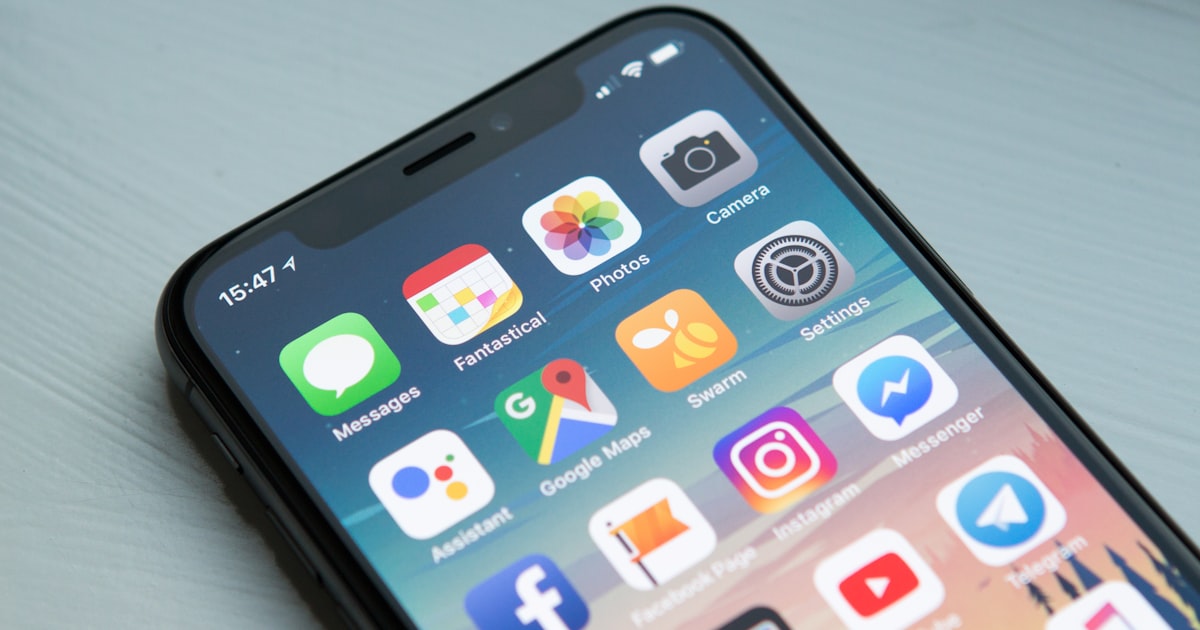
If you've ever landed in a foreign country and scrambled to find a SIM card kiosk at the airport, you already know the pain that eSIM technology was designed to solve. In 2026, over 6 billion devices worldwide support eSIM [1], and the technology is rapidly becoming the default way travelers stay connected abroad.
What Exactly Is an eSIM?
An eSIM (embedded SIM) is a small chip built directly into your phone during manufacturing. Unlike traditional SIM cards that you physically insert and swap, an eSIM is soldered onto the motherboard and reprogrammed digitally.
Think of it this way: a physical SIM is like a key you carry around, while an eSIM is a smart lock that accepts digital keys. You can download different "keys" (carrier profiles) whenever you need them — no store visits, no tiny cards, no paperclip SIM ejector tools.
The technology follows the GSMA's global standard [1], meaning an eSIM from any certified provider works on any eSIM-compatible device, regardless of manufacturer.
How Does eSIM Work?
The process is refreshingly simple:
- Choose a plan — Browse eSIM data plans for your destination (eSimphony covers 150+ countries)
- Tap Install — In the app, tap the install button. Your phone opens its native eSIM setup screen automatically
- Confirm — Tap confirm on the system dialog. Your phone downloads the carrier profile in seconds
- Follow the guide — The app walks you through setting your mobile data to the new eSIM and enabling data roaming
- Connect — You're online. That's it.
The entire process takes under 2 minutes and can be done from your couch before you even pack your bags.
Moza Tip: Install your eSIM the day before your trip while you have stable Wi-Fi. You need an internet connection to download the eSIM profile, so do it at home. This way, you'll have data the moment you land — no airport Wi-Fi hunting needed.
Which Phones Support eSIM?
Most flagship phones released since 2019 support eSIM. Here's a quick reference:
Apple
- iPhone XR, XS, and all newer models [2]
- iPhone 14 and later (US models) are eSIM-only — no physical SIM tray
- iPad Pro (3rd gen+), iPad Air (3rd gen+), iPad (7th gen+)
- Apple Watch Series 3 and later (cellular models)
Samsung
- Galaxy S20 and all newer S-series
- Galaxy Z Flip, Z Fold series
- Galaxy Note 20 and later
- Pixel 3 and all newer Pixel phones
- Pixel 7 and later have dual eSIM support
Others
- Motorola Razr series
- Huawei P40 and newer (limited carrier support)
- Sony Xperia 1 III and later
- OPPO Find X3 Pro and newer
If you're unsure about your specific device, check your phone's settings: go to Settings → Cellular/Mobile → Add eSIM. If the option exists, your phone supports it.
eSIM vs Physical SIM: Why Travelers Are Switching
For everyday use at home, the difference between eSIM and physical SIM is minimal. But for travel, eSIM has decisive advantages:
Instant activation — No waiting in airport queues. Your data plan is ready before you board the plane.
Multiple profiles — Store plans for several countries on one device. Heading from Japan to Korea to Thailand? Have all three profiles ready to switch between.
No lost or damaged cards — Physical nano-SIM cards are tiny and easy to lose. eSIM lives inside your phone permanently.
Keep your home number — Use dual SIM: keep your regular SIM for calls/texts, add an eSIM for affordable local data abroad.
Better security — An eSIM can't be physically removed by a thief, and profiles are encrypted on-device.
The main limitation? Not all carriers in all countries support eSIM provisioning yet, though coverage is expanding rapidly. With services like eSimphony, this is solved — one app, 150+ countries, instant activation.
How to Choose the Right eSIM Plan for Travel
When shopping for a travel eSIM plan, consider:
Data amount — Light browsing and maps: 1-3 GB. Working remotely or streaming: 5-10 GB. Heavy use or sharing with family: 10 GB or more.
Coverage — Single-country plans are usually cheaper. Regional plans (like "Europe" or "Southeast Asia") are more convenient for multi-country trips.
Validity period — Some plans expire after 7, 14, or 30 days. eSimphony offers 60 days on most plans, and you can transfer unused data to your next destination before the plan ends.
Speed — Look for 4G/LTE or 5G support. Most quality eSIM providers offer 4G minimum.
Moza Tip: Not sure which plan fits your trip? Chat with Moza in the eSimphony app — she analyzes your itinerary and recommends a plan based on your destination and usage habits. Check the validity Moza shows before you pay.
Common Myths About eSIM
"eSIM is more expensive than local SIM cards" — Not necessarily. While airport SIM kiosks may seem cheap, they often have hidden fees, limited data, and short validity. eSIM plans from providers like eSimphony frequently match or beat local prices, especially for multi-country trips.
"Setting up eSIM is complicated" — It takes under 2 minutes. With eSimphony, you tap one button, confirm on your phone's native screen, and the app guides you through the rest. No QR codes, no manual settings.
"eSIM doesn't work in developing countries" — eSIM connectivity is available in 200+ countries and territories through international roaming partnerships [3]. Even if the local carrier doesn't offer eSIM directly, your eSIM provider routes through partner networks.
"I'll lose my eSIM if I reset my phone" — A factory reset does remove eSIM profiles, but they can be re-downloaded through the eSimphony app. Your plan is tied to your account, not your device — just reinstall the app and tap Install again.
Getting Started with eSIM
Ready to ditch the SIM card hunt on your next trip? Here's the quick start:
- Check compatibility — Confirm your phone supports eSIM (Settings → Cellular → Add eSIM)
- Download eSimphony — Available on iOS and Android
- Browse plans — Chat with Moza or browse plans for your destination
- Tap Install — The app opens your phone's native eSIM setup screen. Confirm, and the profile downloads in seconds
- Follow the post-install guide — The app automatically guides you to set your primary internet to the new eSIM and enable data roaming
- Travel connected — Land with data ready to go
No more SIM card kiosk lines. No more overpriced airport Wi-Fi. No QR codes to scan. Just tap, confirm, and you're connected.
References
- 1
- 2
- 3
Related Posts
eSIM-Only Phones Are Now the Norm: How to Travel Without a SIM Tray
Learn how to travel with an eSIM-only phone in 2026. Setup guide, profile management tips, and how to stay connected abroad without a physical SIM.
country guidesSaudi Arabia Tourist Guide 2026: Everything You Need to Know Before You Go
Saudi Arabia travel guide for 2026 — tourist visas, NEOM, AlUla, Riyadh, the Red Sea coast, cultural etiquette, costs, and eSIM connectivity tips.
guidesHow Much Travel Data Do You Actually Need? A 2026 Guide
A practical 2026 guide to estimating how much mobile data you need abroad — by trip length, traveler type, and activity — so you stop overbuying and underbuying.
Ready to stay connected worldwide?
Download eSimphony and get instant eSIM activation in 150+ countries. Plans from 1 GB to 1,000 GB, transfer for data you don't use, and AI assistant Moza — all in one app.